
The Add-Ons Guests Actually Buy (And How to Put Them in Front of More People)
Every time a guest completes a booking on your site, you have about thirty seconds of their full attention. They just handed over a deposit. They are excited. They are already thinking about the trip. That window right there, at checkout, is the best moment you will ever have to sell them something extra.
Most operators miss it entirely.
Not because they do not have good add-ons. They usually do. They miss it because the extras live on a separate page nobody finds, or get mentioned at the dock by a crew member who is already juggling three other things, or never get offered at all because the operator assumed guests would ask if they wanted something.
Guests rarely ask. But they buy when it is easy.
Why Add-Ons Fail Before They Start
The most common add-on problem is not pricing or product selection. It is placement. When an extra shows up after checkout as a follow-up email, conversion drops. When it gets mentioned verbally at the dock, it feels like an upsell and guests get defensive. When it sits on an Extras tab buried three clicks from the booking page, almost nobody finds it.
The add-ons that actually move are the ones baked into the booking flow itself, shown at the moment when the guest has already decided to come and is still actively completing their purchase. At that point they are not being sold to. They are just adding things to their trip that make sense.
The difference in guest psychology is real. And the difference in your revenue per booking can be too.
What Guests Actually Buy
This varies by operation, but a few categories consistently perform across boat rentals, watersports, and tours.
Convenience items
Anything that solves a problem the guest is already thinking about. A dry bag when they are renting a kayak. A cooler when they are taking out a pontoon for the afternoon. A waterproof phone case for a jet ski ride. These items require zero salesmanship because the guest does the selling on their own. They picture themselves on the water without it and immediately want it.
Instruction and guided upgrades
A guest booking a paddleboard rental for the first time will often pay for a thirty-minute intro lesson if it is offered cleanly at checkout. Same goes for snorkel instruction on gear rentals or a guided sandbar stop added onto an otherwise self-guided pontoon trip. The key is making the add-on feel like a natural upgrade, not a separate product they have to go find.
Consumables and supplies
Sunscreen, reef-safe, already packed for them. A bottle of water or a sports drink. Bait and ice for fishing trips. These sell well because they reduce friction. The guest does not have to stop at a gas station on the way to the marina.
Group-size extras
Anything that scales with headcount often converts better than flat-rate add-ons. A per-person snorkel kit for a tour group. Extra paddleboards for a large family renting a pontoon. When guests are booking for a party of eight and the math is obvious, the logic of adding gear for everyone lands quickly.
Protection and coverage
Damage waivers, accidental coverage options, or extra security deposit holds can work well depending on your rental setup. Guests who are nervous about damaging equipment often reach for this option without being asked.
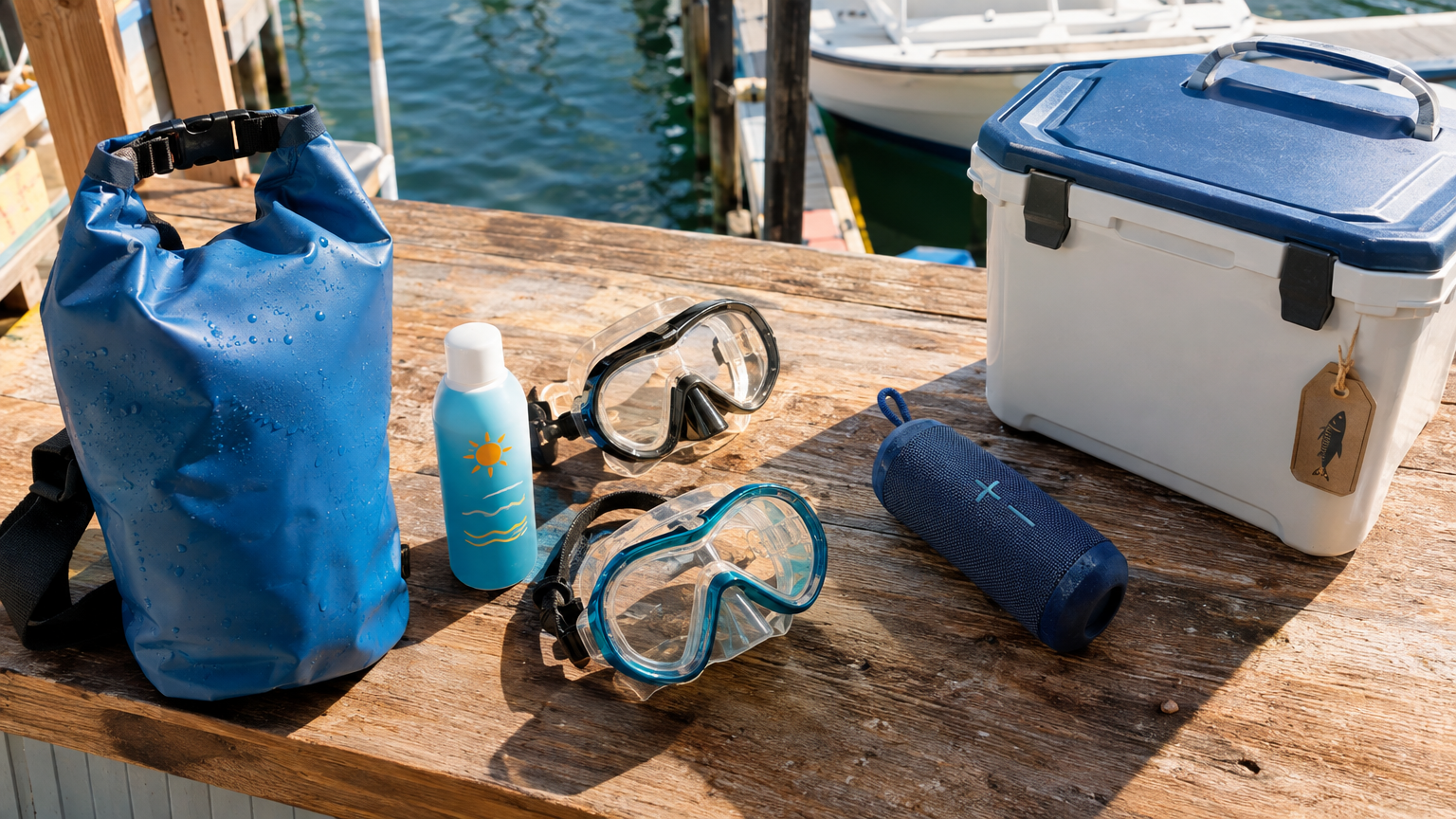
The right add-ons are things guests are already thinking about. You are just making it easy to grab them before they arrive at the dock.
How to Price Add-Ons So They Feel Like Value
Add-on pricing has one job: make the guest feel like they got a deal compared to what they would have paid somewhere else. That bar is usually pretty low. A dry bag that sells for $28 at the surf shop up the street does not need to be priced at $30 in your checkout. Price it at $18 and it sells itself. You make less per unit but you sell far more of them.
The math works out. A $12 margin on a dry bag that converts on 30 percent of your pontoon rentals adds up faster over a season than a $25 margin that guests skip every time.
For instruction upgrades and guided extras, the logic is different. These are time and labor, so they should be priced to reflect what the guest is actually getting. A private thirty-minute lesson from one of your guides has real value. Price it at what it is worth and frame it around the outcome. Do not underprice it trying to make it an easy yes. Guests trust things that are priced appropriately for what they are.
The Checkout Flow That Actually Converts
The booking flow for a well-placed add-on looks something like this. Guest picks the rental or trip. Guest selects the date and group size. Guest is shown relevant add-ons with a short description and a clear price. Guest reviews their full order and pays.
That is it. The add-ons step sits between the decision to book and the final payment. The guest is already mentally committed. Adding something requires almost no extra effort. And if the description is written well, specific and benefit-first, the decision takes about ten seconds.
What kills conversion at this step is clutter. If you display every possible extra you have ever considered offering, guests ignore all of them. Pick three to five add-ons per booking type, organized around what actually makes sense for that specific experience. A kayak rental customer and a private yacht charter guest should see completely different add-on menus.
The Dock Handoff Still Has a Role
Even with a well-built checkout flow, some guests will arrive without having added anything. That is fine. The dock is still a natural place for a light touch, not a hard sell, just a quiet mention of what is available.
When your crew does the pre-departure rundown, a single sentence is enough. Something like: we have dry bags and sunscreen at the counter if you need any. No pitch, no pressure. Most guests who want something will grab it. The ones who do not appreciate that nobody pushed them.
The goal is to make extras feel available, not mandatory. That approach holds up across every type of marine operation and keeps guests coming back.
Tracking What Is Actually Working
Once you have add-ons live in your booking flow, check the data after a few weeks. Which add-ons are converting? Which are being shown but ignored? Are certain trip types or booking windows producing higher attach rates than others?
Operators who look at this even occasionally tend to make two adjustments. They cut the add-ons that are not moving. And they reorder the ones that are performing well so more guests see them before scrolling past. Both changes tend to lift revenue per booking without any additional cost.
There is also a seasonal pattern worth watching. Sunscreen and cold drinks add-ons sell best in July and August. Dry bags and extra layers move in shoulder season when temperatures are less predictable. Adjusting your lineup to match the time of year keeps the checkout experience feeling relevant rather than like a static template you set up once and forgot.
How VrixPlay Handles This
VrixPlay lets you attach add-ons directly to specific booking types so guests see the right extras for what they are actually booking. Tube tows, wakeboards, fuel packages, snorkel kits, dry bags, guided instruction, and more all sell inside the same checkout flow, while the guest is already completing their purchase. No separate pages, no follow-up emails, no dock upsell required.
Add-ons that sell at checkout show up on the booking record so your crew knows exactly what each guest ordered before they arrive at the dock. And because VrixPlay runs on a flat 3 percent per booking with no monthly fee, the math on adding even a $15 item to your lineup is straightforward. More of that revenue stays with your operation.
If you want to tighten up your booking flow and start capturing the revenue that is already sitting in your checkout, start free at vrixplay.com. Setup takes about fifteen minutes and the team in Destin will walk you through it.
