
From Whiteboard to Online Bookings: A Practical Guide for Pontoon and Boat Rental Operators
The whiteboard has been running your marina for years. Every hull gets a column, every reservation gets a penciled-in time block, and every morning starts with squinting at the board to figure out what the day looks like. It works until the pontoon double-books, someone erases the wrong line, or a guest calls at 9pm on a Friday wanting to know if Saturday is still open.
Moving your boat rental operation online is not a technology project. It is a staffing decision. Every hour your dock crew spends fielding calls, manually logging reservations, chasing deposits over Venmo, and hunting for the rental agreement a renter signed three weeks ago is an hour they are not spending on the water or taking care of guests. Online booking recovers that time automatically.
This guide walks through what the switch actually involves, what breaks down in typical whiteboard systems, and how a rental operator can move their fleet online without disrupting the season.
Why the Whiteboard Breaks Down at Scale
A whiteboard works fine when you have two boats and you are personally handling every call. The cracks show up as soon as volume picks up or you are not the only person making reservations.
The most common failure points:
- Double bookings on holiday weekends. A staff member takes a phone reservation and marks the board. Someone else takes a walk-in for the same boat an hour later and the pencil mark was faint. Now you have two families showing up for the same pontoon on a holiday.
- Unsigned rental agreements. The renter was in a hurry. The form is somewhere. The boat is already on the water. If something happens, you are unprotected.
- Deposits that do not stick. Collecting a deposit over Venmo feels fine until the renter does not show, you have no card on file, and the boat sat idle for a half-day block.
- No buffer between turnovers. The 9am rental comes back at 12:45. The noon rental is already at the dock. The boat needs fuel and a rinse. The handoff becomes a scramble.
- No revenue visibility. You know roughly what a good month looks like, but you cannot tell your accountant which boat is earning and which one is sitting, or whether last August was actually better than this one.
None of these are catastrophic in isolation. Combined over a season, they add up to real money left on the dock.
What Online Booking Actually Replaces
The concern most rental operators have about switching is that it adds a layer of tech complexity on top of what they are already doing. In practice, the opposite tends to happen. Online booking collapses several disconnected tools into one workflow.
Here is what a well-set-up rental system handles automatically, without requiring any action from you or your staff:
- Availability by hull. Each boat has its own calendar. A half-day block on the pontoon does not affect the deck boat. Guests see real-time availability before they even pick up the phone.
- Deposit at checkout. The renter pays a deposit online when they book, which means the slot is held and the commitment is real. No more Venmo follow-up texts, no more pay when I get there.
- Rental agreement signed before arrival. The digital agreement goes out with the booking confirmation. The renter signs it on their phone, the signed copy attaches to their reservation, and it is waiting for you when they walk up to the dock.
- Turnover buffers. Set a cleanup and fueling buffer once. The system blocks that time automatically between every rental so your dock crew always has a window to work with.
- Balance at pickup. The remaining balance processes at the dock, either on a saved card or via a payment link sent in advance. No card reader confusion, no IOU.
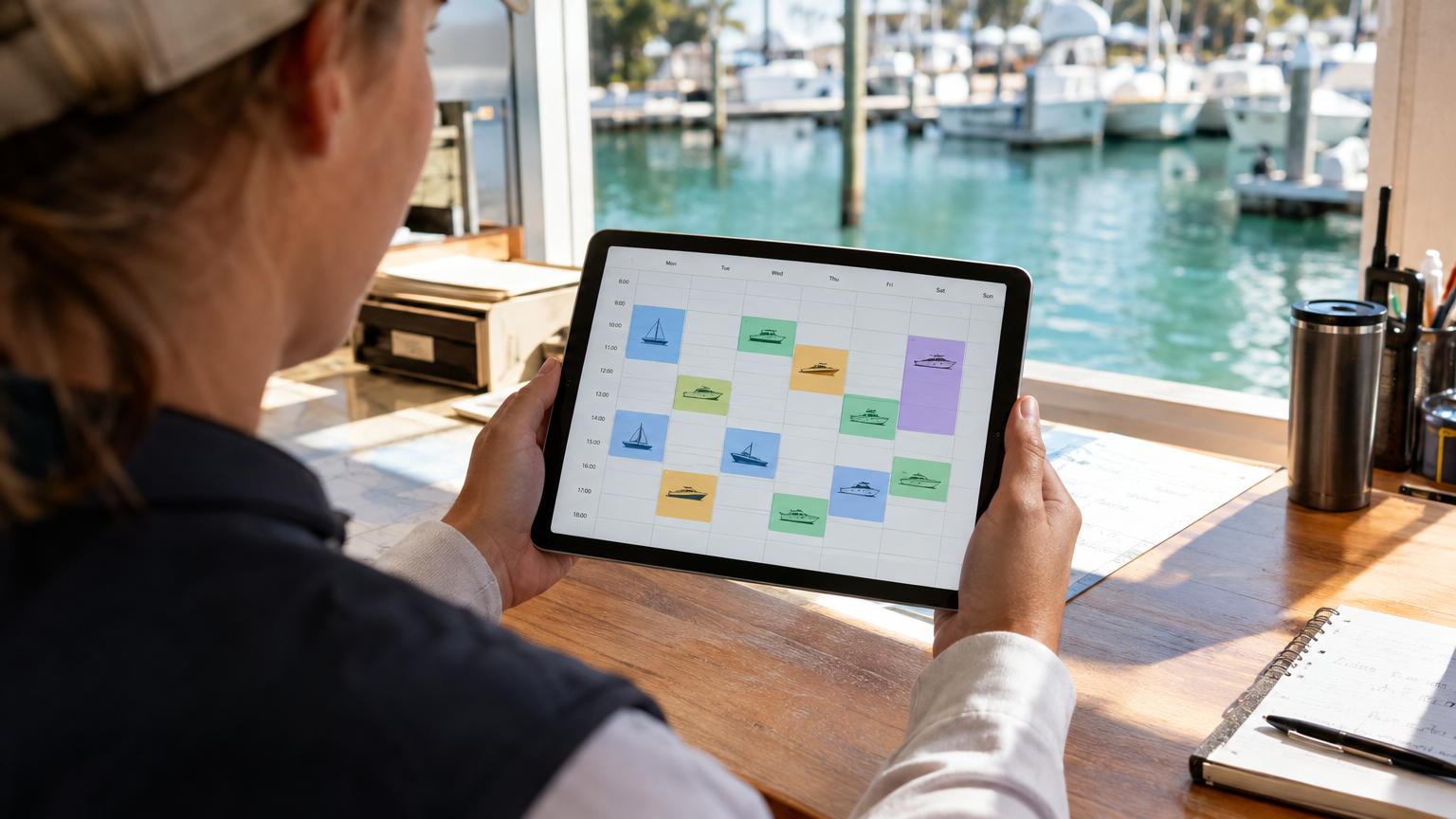
A per-hull booking calendar gives your dock crew a clear picture of the day before the first guest arrives.
The Transition Is Simpler Than It Looks
Most rental operators who have made the switch say the same thing afterward: they spent more time worrying about it than actually doing it. The information you need to set up an online rental system is information you already have in your head or on your whiteboard.
You will need to put together:
- Your fleet: boat names, capacity, and any notes about specific hulls
- Your rental blocks: half-day, full-day, hourly, whatever you actually sell
- Your rates by boat and season if they vary
- Your deposit amount and cancellation policy
- Your rental agreement text
- Any add-ons you sell such as tubes, wakeboards, coolers, and fuel packages
That is it. No complicated import files, no data migration headaches. A good setup team can turn that information into a working rental system in a day.
Handling the Parts That Feel Complicated
A few concerns come up often from rental operators who are new to online booking. Here are straightforward answers to the ones that actually matter.
What about walk-ins?
Walk-ins do not disappear when you go online. You just handle them differently. Instead of writing on the whiteboard, your staff creates a manual booking in the system with the same deposit, same agreement, and same record. Everything lives in one place instead of being split between digital and paper.
What if I want different rates for different days?
Most rental platforms let you set rates by boat and by date range. A holiday weekend rate, a weekday rate, and an off-season rate can all live in the same system so the right price shows up automatically based on when the guest books.
What about guests who want to pay cash?
You can still take cash. A good rental platform lets you log manual payments so the booking record stays accurate even if the money did not go through a card processor. Your books stay clean regardless of how the guest pays.
What does it cost?
That depends on the platform. Some charge flat monthly fees regardless of how many bookings you take. Others charge a percentage per booking with no monthly fee. If you are seasonal or your volume varies, a per-booking model keeps costs in line with actual revenue. VrixPlay charges 3% per booking with no monthly fee, which means you only pay when a booking comes in.
What the First Week Looks Like
The transition period usually runs about a week, not a season. In the first few days your existing regulars will still call. That is fine. Your staff can take the call and enter the reservation manually, just like always, except now it goes into the system instead of on the whiteboard.
Within a week or two, guests start finding your booking page on their own. Weekend availability fills earlier. You start seeing deposit payments come in overnight without anyone on your team touching anything. The whiteboard, if you keep it, becomes a backup you never actually look at.
The dock crew morning changes too. Instead of huddles around the whiteboard, there is a today screen that shows every boat, every pickup time, every add-on, and every return window. No interpretation required.
The Rental Operators Who Benefit Most
If you are running one or two boats and every reservation still comes through your personal phone, you might not feel the pain yet. But a few situations tend to push operators to make the switch faster than they expected:
- Adding a second or third hull to the fleet, because coordination across multiple boats by hand gets complicated quickly
- Hiring dock staff who need to take bookings without the owner being present
- Dealing with a double-booking or missed deposit that costs real money in a single incident
- Wanting a website that converts visitors into paying reservations instead of just displaying a phone number
- Preparing for a high-volume season and knowing the current system will not hold up under the pressure
Any one of those is reason enough to get the system in place before the next busy stretch, not after it.
How VrixPlay Handles Boat Rentals
VrixPlay is built for exactly this kind of transition. The platform is free to use with no monthly fee and a flat 3% per booking. Each hull gets its own calendar with its own rates, blackout dates, and turnover buffers. Guests can book and pay a deposit online, sign the rental agreement and damage waiver digitally, and arrive at the dock with everything already handled.
Your dock crew gets a clear today view showing what is out, what is due back, and what is going out next. Add-ons like tubes, wakeboards, and fuel packages sell inside the checkout flow while the guest is already booking. All of it runs from your phone, whether you are at the dock, at the ramp, or out on the water yourself.
Setup is handled for you. You send VrixPlay your fleet details, rates, and policies and the team builds the whole thing, tests it, and trains you by phone. You download the app and get back to running the dock.
If you are running a pontoon, deck boat, or center console rental fleet and you have been meaning to get off the whiteboard, now is a good time to do it. Start free at VrixPlay, no card required.
