
The Rental Add-On Playbook: Earn More Per Booking Without Buying More Equipment
Your jet skis are booked. Your paddleboards are rented out by 10 a.m. on a Saturday. Inventory is full, and you still left money on the table.
That is the quiet math problem most rental operators never solve: you are optimizing for bookings when you should also be optimizing for what is inside each booking. Adding a second location or buying more gear is one way to grow revenue. Selling the right add-ons at checkout is faster, cheaper, and something you can do this week.
Here is a practical look at what works, how to price it, and where the add-on conversation needs to happen if you actually want guests to say yes.
Why the Checkout Window Is the Only Window That Matters
Most rental operators think about upsells as a dock conversation, something the staff offers when a guest shows up. That works sometimes, but it depends on the right staff member being available at exactly the right moment, not being distracted by four other things happening at once.
The booking checkout is different. A guest who just decided to rent two jet skis for two hours is already in a buying mindset. They have committed. They are thinking about the trip, not the cost. That is when an add-on offer lands cleanest.
Put it in front of them during checkout and a meaningful percentage will add it. Wait until they are at the counter with sunscreen in their eyes and a kid pulling their arm, and that percentage drops considerably.
What Add-Ons Actually Sell for Rental Operators
Not every add-on is worth listing. The ones that convert consistently share a few traits: they are low friction, they feel like a natural part of the experience, and the price feels proportional to the main booking.
Here is what tends to work well for jet ski, kayak, paddleboard, and boat rental operations:
- Safety gear upgrades - Life vests beyond the standard complimentary option, impact vests, helmets for younger riders. These sell because parents reach for them instinctively.
- Wetsuits - Especially early season and late season when water temps drop. Guests do not always bring their own and will pay for comfort.
- Dry bags and waterproof phone cases - Low cost item for you, high perceived value for a guest who does not want to leave their phone on the beach.
- Tow experiences - Tubes, towable floats, banana boats. Attach to a jet ski rental or pontoon and you have added a second activity to the same booking slot.
- Fuel packages - For longer boat rentals, an extended fuel package removes range anxiety and feels like insurance, not an expense.
- Guided tours or instruction - A 20-minute intro session for first-time paddleboarders or a quick orientation on open water jet ski etiquette. These often carry a higher margin than the rental itself, and guests who book them tend to leave better reviews.
- Delivery and setup - For paddleboard and kayak operations near hotels or vacation rentals, delivery to the beach or dock can command a premium that far exceeds the cost of a short drive.
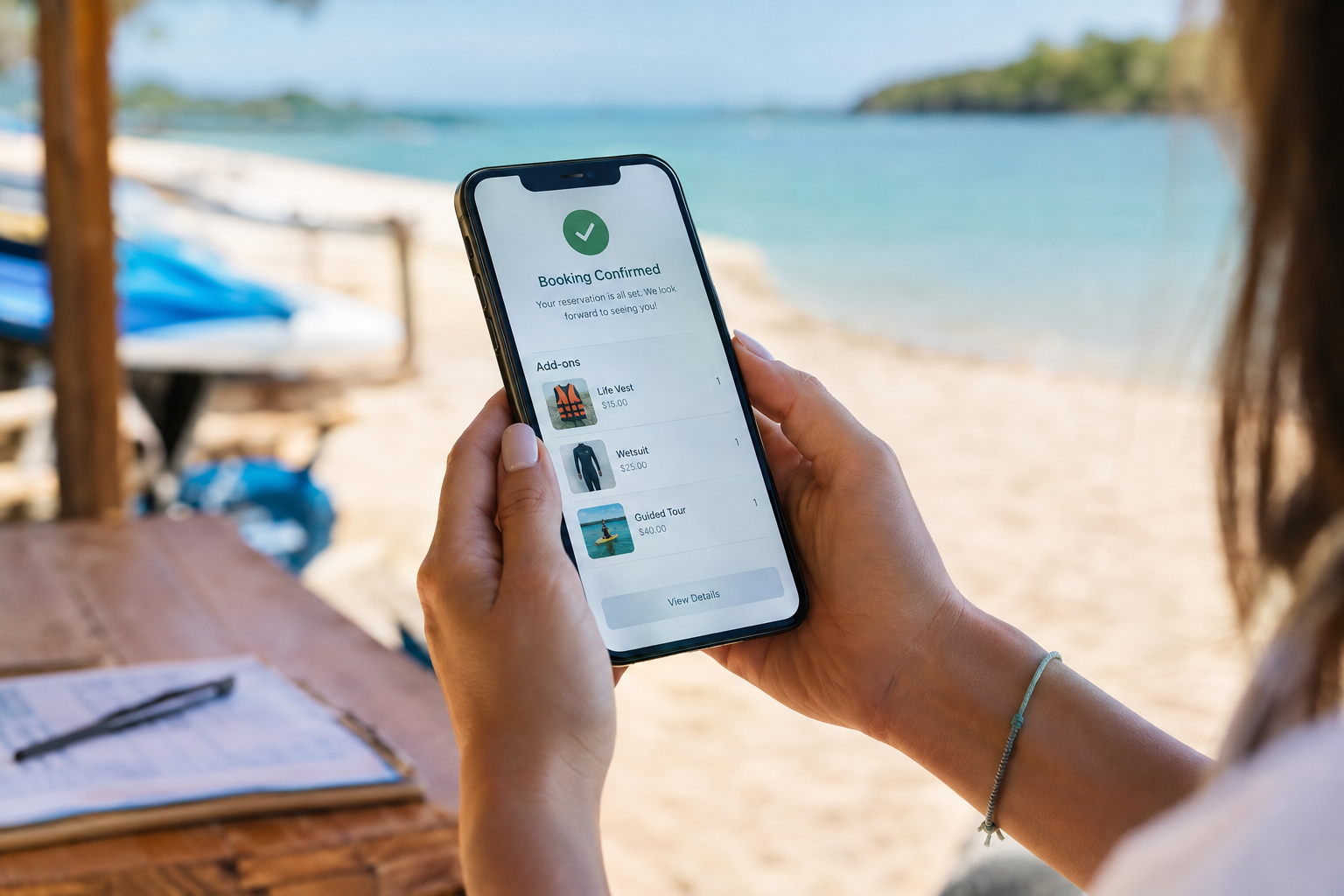
Add-ons listed clearly in the booking confirmation make it easy for guests to see what they selected before they arrive.
How to Price Rental Add-Ons Without Underselling Them
The common mistake is pricing add-ons at cost plus a small margin, treating them like retail. They are not retail. They are convenience, delivered at the right moment, by a business the guest already trusts enough to pay for a two-hour rental.
A wetsuit that costs you $30 can reasonably rent for $20 to $25 per booking and still feel like a fair deal to the guest, especially when the alternative is driving to a gear shop a mile away or doing without. Price add-ons relative to the experience, not your cost.
A few practical pricing anchors:
- Keep individual add-ons under roughly 30 to 40 percent of the base rental price so they feel proportional rather than like a surprise surcharge.
- Bundle when it makes sense. A family kit with two life vests, a dry bag, and a waterproof phone case sells better as a named package than three separate line items at checkout.
- For instruction or guided components, price them at what a standalone session would cost in your local market. Guests anchor to that, not to your hourly gear rate.
Where the Add-On Should Live in Your Booking Flow
The sequence matters more than most operators realize. Add-ons need to appear after a guest has committed to the main rental, after they have chosen the date, the gear, and the duration, but before they have entered payment details. That is the window where they are thinking about the experience, not reviewing the total.
If add-ons appear before the guest has selected their main rental, they feel premature. If they appear on a confirmation page after payment is complete, it is too late for most guests to act. The moment between deciding what they want and actually paying is when guests are most open to adding something.
This also means your checkout flow needs to present add-ons clearly, with a short description and a price, not buried in a notes field or communicated only by staff on arrival. If a guest cannot see it cleanly on their phone while booking from a hotel room the night before, it will not move.
The Operations Side: Keeping Add-Ons Accurate When Volume Picks Up
Add-ons only help your business if they do not create operational headaches. A few things break quickly when volume increases:
Inventory mismatches. If you list wetsuits as an add-on but do not track how many you have available, you will oversell. Your booking system needs to know you have eight adult wetsuits and stop offering that add-on once all eight are committed for a given slot.
Staff surprises. If a guest adds a guided session or a tow package and your staff does not see it until arrival, the experience suffers. Add-ons have to flow directly into the booking record and the day schedule, visible as a line item in the manifest or dashboard your team checks before a shift, not as a sticky note someone might read.
Walk-up add-ons. Some guests will ask at the dock. Make sure your team can add those to the existing booking record so your reporting stays accurate. Walk-up sales that disappear into a cash box with no record make it impossible to know which add-ons are actually worth keeping.
What Good Add-On Data Tells You After a Season
After a few months of selling add-ons through your booking checkout, the numbers start telling you things your gut cannot. Which add-ons sell on weekends but not weekdays. Which ones attach more often when the main rental is longer. Which equipment types drive the highest add-on rate.
That is when you can start building smarter packages, adjust which add-ons appear based on what was rented, and bundle your top sellers into a named kit that moves faster than the individual items ever did. You do not need years of data to start making those calls. One good season of clean records is usually enough.
Start With Two or Three, Not Ten
If you have not sold add-ons through your booking checkout before, start with two or three items you already have on hand and can fulfill without extra logistics. Safety gear, a dry bag, maybe a guided intro session if you have the staff to support it.
Get those in front of guests at checkout, track what attaches, and give it a full season before deciding whether to expand or swap. Add-ons that feel forced or under-supported create operational friction that erases the revenue benefit. The ones that fit naturally into what you are already doing earn real margin without adding complexity.
The best version of this is not a long menu of extras. It is three or four things your guests genuinely want, offered at exactly the right moment, with a price that feels fair and a fulfillment process your team can handle on a busy Saturday morning without a second thought.
VrixPlay includes add-on management built directly into the rental booking checkout. Operators can list equipment extras, guided sessions, and gear packages that sell alongside the main rental in a single checkout flow, with everything flowing into the booking record and the daily schedule automatically. Free software, 3% per booking. Start free at vrixplay.com.
