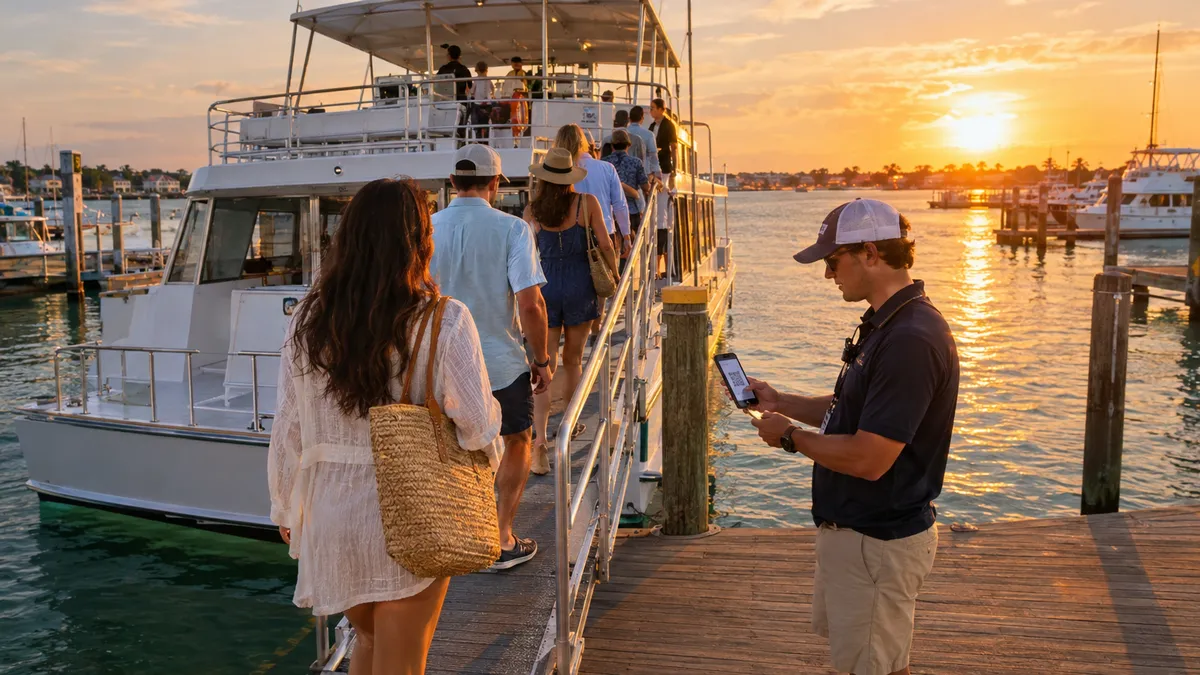
If you run dolphin cruises, sunset sails, snorkel trips, or any tour that sells by the seat, you already know the core tension: you want a full boat, but filling it through phone calls, Facebook DMs, and paper ticket stubs is not a business model. It is a second job.
Tour boat operators are leaving real money on the table not because they lack customers, but because their booking process creates too much friction. Guests who cannot find open seats at 10 p.m. book something else. Departures that oversell by two seats become a headache at the gangway. And operators who still hand-count heads before every cruise are starting every trip behind.
This guide walks through what a clean online ticketing setup looks like for tour boat operations, what tends to break in older systems, and how to build a process that boards a full boat in minutes, not in chaos.
Why Phone and DM Bookings Cap Your Revenue
Phone bookings feel personal. And for a small operation, they can work up to a point. The problem is that your phone is only available when you are. A family scrolling for things to do on a Thursday night, or a corporate planner pricing out a team outing at 8 a.m. on a Sunday, will not wait for a callback. They will find a cruise that already has a booking page and take the seats they need.
DMs have the same problem. You cannot enforce a deposit in a DM thread. You cannot automatically send arrival instructions, cancellation policies, or waiver links through Instagram. And when your departure fills up halfway through a conversation, someone always gets surprised.
The ceiling for phone and DM bookings is roughly however many calls you can personally handle between trips. Online ticketing removes that ceiling.
What Real Capacity Management Actually Means
The phrase real capacity sounds obvious, but most tour boat operators are not actually managing it. They are estimating it.
Real capacity management means your booking system knows, at any given moment, exactly how many seats are available on each departure. When a guest selects four tickets on your website, those four seats lock immediately. When a group of eight checks out, the departure either has eight open seats or it does not, and if it does not, the guest sees that before they try to pay.
This sounds simple. But most operators running through phone notes, spreadsheets, or basic calendar tools are working one or two steps behind. Someone books four tickets online; another staffer takes a call for three more; by the time both are recorded, the boat is over capacity and no one noticed until the gangway.
A good ticketing system enforces capacity automatically, per departure, with no manual reconciliation required.
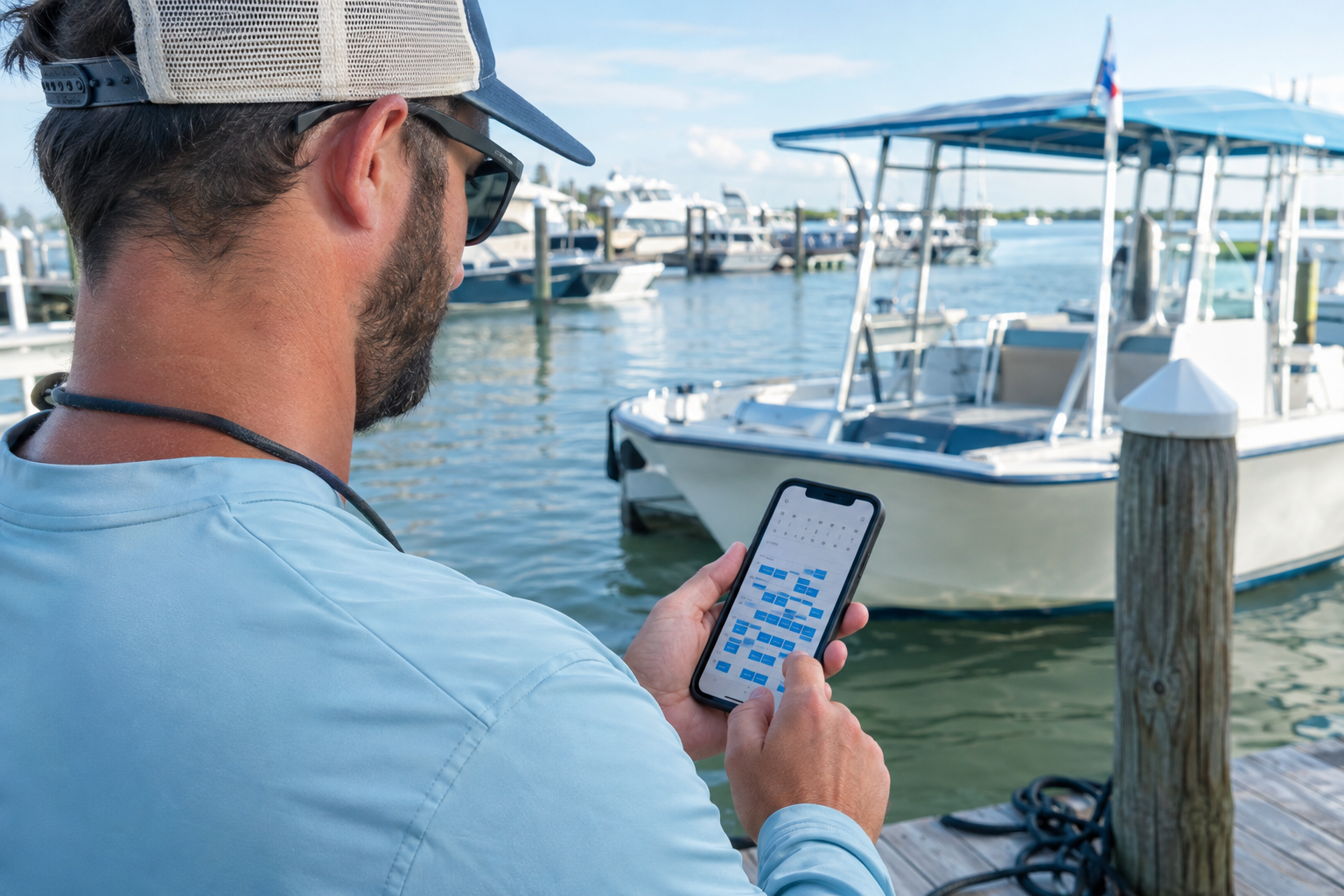
A departure schedule you can manage from your phone keeps the dock running on time, even on a full weekend.
Building Recurring Departures Without Rebuilding Them Every Week
Most tour boats run the same schedule week over week. A 10 a.m. dolphin cruise. A 2 p.m. snorkel trip. A sunset sail at 6:30 p.m., pushed to 7 during summer. You set those times once per season, and they repeat until something changes.
The operational mistake is rebuilding that schedule manually each week, or worse, re-entering departures one by one as they sell out and reopen. It is wasted time, and it creates gaps where a departure looks closed when it is actually available.
A proper recurring departure setup lets you publish a weekly schedule once and let it roll forward automatically, override individual dates for weather holds, private hires, or maintenance, set per-departure capacity that the system enforces without you touching it, and add seasonal pricing with adult, child, and senior tiers to any departure type without creating separate listings. When your schedule is set up this way, your tickets are always live and accurate, even on weeks you are not actively managing the calendar.
Automated Reminders: The Simplest Way to Cut No-Shows
Tour boat no-shows sting differently than charter no-shows. On a private charter, one group not showing up can sink the whole trip economically. On a shared tour, two or three no-shows per departure is noise until it becomes a pattern. At peak season, empty seats on a full boat represent sold revenue that your crew still has to work around and cannot resell.
Automated reminders do not require anything clever. A confirmation email at booking and a reminder 24 to 48 hours before departure, sent automatically, reduce the number of guests who simply forget, sleep in, or show up at the wrong marina entrance. Include parking, the exact meeting point, what to bring, your check-in process, and your cancellation terms.
When reminders fire on their own, you stop writing the same email for every departure. Your guests show up more prepared, and your boarding goes faster because fewer people are asking basic questions on the gangway.
QR Boarding: How to Board 40 People in Under Five Minutes
The slowest part of running a shared tour is not getting people to the dock. It is confirming who is who once they get there. Name lists, printed tickets, hand-written logs, none of it moves fast with a line of guests in sunscreen and flip-flops behind you.
QR boarding solves this cleanly. When a guest books, they receive a QR code with their confirmation. At the gangway, you scan each code from your phone camera, no extra hardware, no special reader. Each scan marks that guest as boarded and logs them against the manifest automatically. When the last guest scans, your headcount is done and your manifest is closed.
For a 40-person sunset cruise, that process takes three to four minutes with one crew member at the gangway. For a 12-person snorkel trip, it takes under a minute. The boat leaves on schedule, and you have a clean record without touching a clipboard.
Group and Private Bookings in the Same Flow
Most tour boat operations run a mix of individual ticket buyers and group reservations. A family of five buys tickets on your website on a Tuesday. A birthday party of 18 asks about a private sail. A school group coordinator calls about a morning snorkel trip for 30 kids.
These look like very different transactions, but they do not need different systems. A good booking setup handles all three through the same calendar and the same departure slots. Individual tickets sell through your public booking page. Group reservations get handled as a larger purchase against the same inventory. Private hires block out a departure and apply a charter-style booking flow, or simply lock the departure from public sales once a group fills it. When all three types write to the same calendar with real seat counts, you never oversell a departure regardless of how the booking originated.
Weather Holds and Cancellations: Make Them a Three-Click Process
Weather cancellations are part of the tour boat business. What should not be part of it is spending 45 minutes notifying 30 individual ticket holders through separate emails, calls, and DMs while trying to move those guests to new departures.
A clean cancellation workflow looks like this: you cancel the departure, the system notifies every ticket holder at once, and you handle rebooks or refunds from the same screen. No hunting for who booked through which channel. No sending the same apology message 28 times. No confusion about who has been contacted.
This is the kind of operational detail that separates operators who grow from operators who burn out. When a squall line cancels your Thursday sunset cruise, you should be able to handle the guest communication in three clicks, not three hours.
What to Look for in Tour Boat Ticketing Software
There is no shortage of booking tools. But most were built for one type of business and stretched to cover others. Here is what actually matters for a shared-departure tour operation:
- Per-seat real capacity enforcement so a seat blocks the moment it sells
- Recurring departures with per-date overrides so you set the schedule once and adjust as needed
- Adult, child, and senior pricing tiers applied per departure, not per separate listing
- QR boarding passes included with every ticket, scannable from a phone without an app
- Automatic confirmations and reminders sent without you touching anything
- Weather cancellation broadcast to notify all ticket holders in one action
- Manifest output with passenger names and headcount you can pull up at the dock
- Mobile-first design so the whole thing runs from your phone at boarding time
If the tool you are using requires a laptop at the gangway or a separate app for crew check-in, that is friction you do not need.
How VrixPlay Handles Tour Boat Ticketing
VrixPlay is built for exactly this type of operation. You publish your weekly departure schedule once, set the seat count per departure, and let tickets sell while you focus on running trips. Guests book through a public page with no login or app download required. Payment processes through Stripe directly to your account.
At boarding, you scan QR codes from your phone. The manifest builds itself as guests check in, so when the last person boards, you are already done with paperwork. Confirmations and reminders fire automatically. If weather cancels a departure, you cancel it once and every ticket holder gets notified in the same action.
VrixPlay runs on a free plan with a flat 3% per booking and no monthly subscription. It installs to your phone like an app with no app store required. And if you are migrating off a spreadsheet or another tool, the team handles the setup so you are not rebuilding your operation from scratch.
A Checklist Before Your Next Season
Whether you are building this system for the first time or cleaning up something that has grown duct-taped over three seasons, here is what to get right before your next busy period:
- Set your weekly departure schedule in one place, with real seat counts per departure
- Build your public booking page with adult, child, and group pricing clearly listed
- Connect your Stripe account so deposits and full payments process automatically
- Set up your confirmation email with meeting point, what to bring, and cancellation terms
- Schedule an automatic reminder for 24 to 48 hours before each departure
- Test the QR boarding flow from your phone so your crew is comfortable before opening day
- Confirm your weather cancellation process so the first time you use it is not under pressure
None of this is complicated once the system is in place. The goal is to make each departure feel like a machine: tickets sell, guests get prepared, boarding is fast, and the boat leaves on time.
Get Your Departures Selling While You Are on the Water
Tour boat operations run on reputation and capacity. When guests have an easy way to book, show up prepared, and board without confusion, the reviews take care of themselves. When the back office is a mess, every busy day is harder than it needs to be.
If you run dolphin cruises, sunset sails, snorkel tours, or any shared-departure experience and want a cleaner way to manage tickets, reminders, and boarding, explore how VrixPlay handles tour boat operations. Free to start, no credit card required.
