
Peak season on the beach does not fail because you ran out of jet skis. It fails because six people are signing paper waivers at the counter while the 11 o'clock slot burns. The family that booked online is standing off to the side waiting. The walk-ups are piling up behind them. And your staff is stuck behind a clipboard instead of getting people in the water.
If that sounds familiar, the fix is not hiring more counter staff. It is moving the slow parts — reservations, waivers, and payment — to before guests ever show up.
This post walks through how to do that practically, what actually changes when you do, and what to look for in a system that fits the way beach operations actually run.
The Real Bottleneck at a Watersports Stand
Most operators think their peak-hour problem is a capacity problem. They think they need more gear, more staff, or a bigger counter. But talk to any operator who has made the switch to pre-booked rentals and they will tell you the same thing: the bottleneck was almost always paperwork and payment at arrival.
Walk-up guests show up, pick a time slot, sign a liability waiver, pay cash or card, get a brief safety rundown, and then launch. That sequence takes between five and fifteen minutes per group. When three groups stack up at the same time on a busy Saturday morning, you are looking at a 30-minute delay that ripples through the entire day. The 11 o'clock slot goes out at 11:22. The noon slot is already asking what is taking so long.
Online booking does not solve the capacity issue. It solves the sequence issue — by pulling waiver signing and payment collection out of the check-in moment entirely.
What Actually Changes When Rentals Move Online
Here is the real difference, hour by hour.
Friday night: Two jet skis and four paddleboards book for Saturday morning. Payment clears automatically into your Stripe account. The slots are locked. No more walk-up uncertainty about whether Saturday will fill.
Saturday, 8:30 a.m.: Every rider has already signed their digital waiver on their phone, including the two minors in the group whose parent signed on their behalf. You can see who has signed and who has not, from your phone, before you leave the house.
Saturday, 10:58 a.m.: Guests walk up. You scan their QR codes — one phone, six codes, under two minutes. They are in the water at the top of the hour.
Sunday night: You pull a slot-by-slot revenue report. You can see which time blocks performed, which gear moved, and what add-ons actually sold. No spreadsheet math required.
That is the shift. It is not about making the operation more complicated. It is about moving the slow parts earlier so the fast part — actually getting people on the water — is all that is left when they show up.
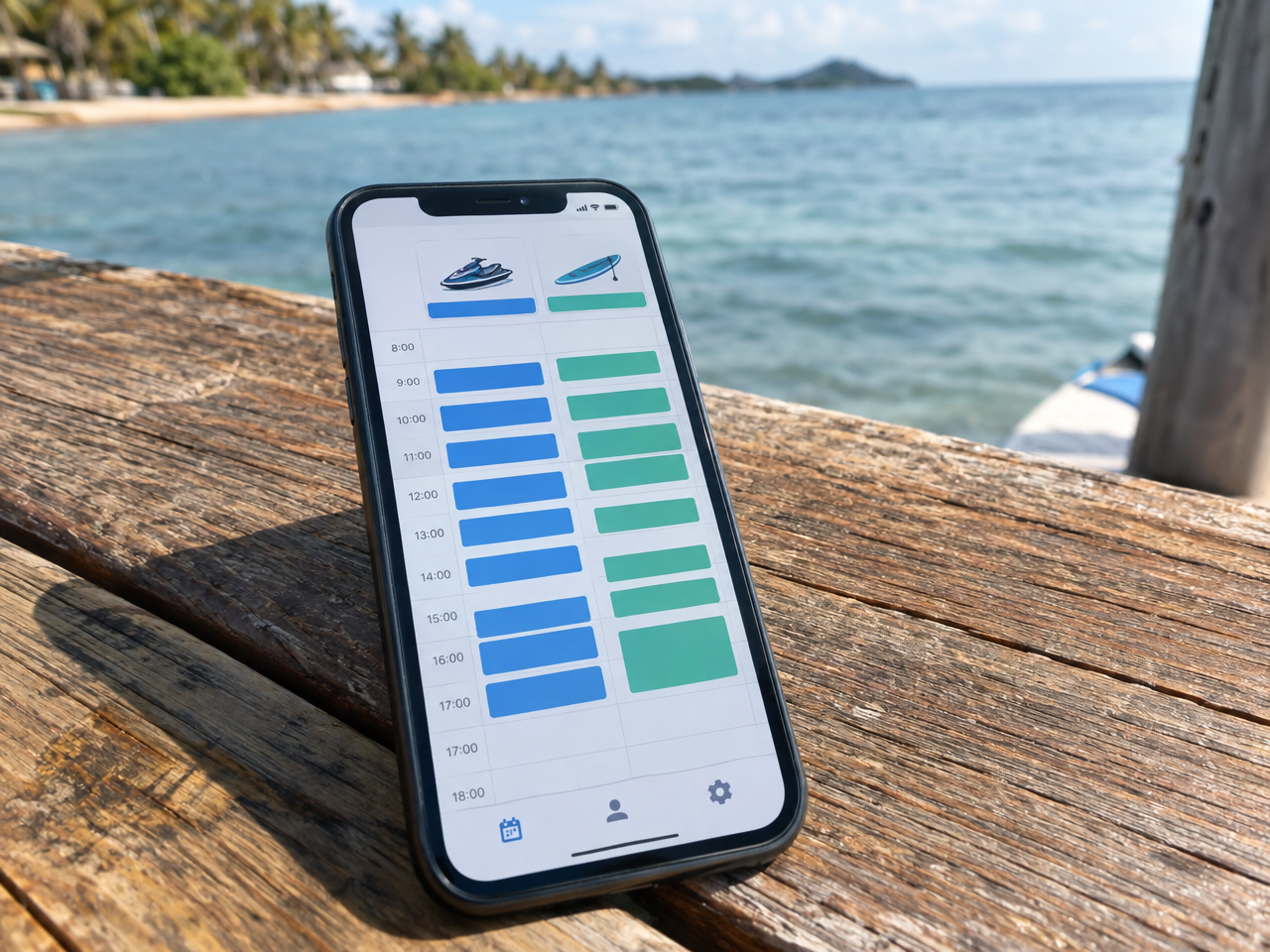
Setting Up Time Slots That Actually Respect Your Inventory
This is where a lot of operators hit the first practical question: how do you sell 30-minute PWC rides and all-day paddleboard rentals through the same booking system without overselling either?
The answer is inventory-aware slot management. You set how many jet skis, kayaks, and paddleboards you actually have. The system uses that count as the cap for every time slot. Once three jet skis are booked for the 10 a.m. slot, the fourth person who clicks that time sees it as unavailable. You never oversell because the calendar enforces the limit for you automatically.
Half-hour PWC rides and full-day board rentals can run through the same booking flow with different slot lengths and pricing. A guest choosing a two-hour paddleboard rental does not compete with someone booking a 30-minute jet ski ride — they are drawing from different inventory buckets.
Add buffer time between slots for gear rinse, safety checks, and turnover, and you have a schedule that is realistic instead of optimistic.
Waivers: Get Them Done Before Anyone Hits the Beach
A waiver signed at the counter is a waiver signed in a rush. The guest is excited. The staff member is trying to move the line. Nobody is reading anything carefully, and the stack of papers from a busy weekend ends up in a drawer somewhere on the wrong boat.
Digital waivers work differently. The moment a rental is booked, the guest gets a confirmation that includes a waiver link. They can sign it that afternoon on the couch, the evening before, or on the drive down. If they have not signed by the morning of the rental, you can see that in the dashboard and send a reminder. One tap, waiver status visible on every booking.
For groups with minors — which makes up a significant portion of family beach rentals — one parent signature covers the whole family and stays attached to the booking. You do not need to collect separate forms for each child. The record lives in the system, tied to that rental, so you can pull it up from your phone at the launch if anyone asks.
For walk-up guests who did not book ahead, a tablet or spare phone at the counter lets them complete the same digital waiver on the spot. The difference is that most of your busy-day traffic has already handled it, so the counter is clear for the exceptions.
Payment: Why Collecting Upfront Changes the Energy at the Stand
Cash at a beach stand feels natural. But it creates problems that are easy to miss until the end of a season. No record of the transaction. No clear picture of which slot made what. Deposits taken verbally and then forgotten. And if someone does not show, you have no hold on them because there was nothing to collect.
Collecting a deposit or full payment at booking changes the commitment level immediately. Someone who has paid online is far more likely to show up, arrive on time, and already understand what they are getting. They confirmed the time, saw the cancellation policy, and paid before they walked out the door. That is a different guest than the one who wandered up asking what you have available.
For operators who still want to handle some transactions at the stand, that option stays open. Online pre-payment and walk-up cash can coexist — the difference is that pre-paid bookings get logged automatically, and the end-of-day picture is accurate without any manual reconciliation.
Add-Ons Sell Better in a Checkout Flow Than at the Counter
When a guest is at the counter about to launch, they are thinking about the water, not whether they want to add a guided tour or a wetsuit. The counter moment is not when people make considered purchases.
The booking checkout is different. Guests are planning. They have time to read through options. Adding a life vest package, a tow experience, a safety instruction session, or a guided trip is a natural step in the booking flow, not a pitch at the register.
Operators who move add-ons into the checkout step consistently see higher attach rates than those who try to upsell at arrival. The product is the same. The timing is what changes the conversion.
Running Multiple Launch Points from One Account
If you operate from more than one beach location — or manage gear at a hotel property alongside a main stand — a single login that shows all your inventory across locations is a practical advantage that is easy to overlook until you are trying to manage it any other way.
Staff at each location see their own view. You see everything. Inventory does not mix between sites unless you choose it to. Customer records follow the guest, so repeat visitors at different locations are recognized without staff needing to look anything up.
What to Look for in a Watersports Rental System
Not every booking platform is built for the pace and format of a beach rental operation. A few things are worth checking before committing:
- Inventory-aware time slots. The system should cap each slot by actual gear count, not just by bookings. If you have three jet skis, the fourth booking for the same slot should be blocked automatically.
- Digital waivers linked to the booking. Waivers should attach to each reservation, show status at a glance, and cover minors with a parent signature — not require a separate tool or manual matching.
- QR check-in on a phone. Scanning should work from the phone in your pocket, not from a dedicated scanner or a laptop at the counter.
- Add-on support in the checkout flow. Gear, instruction, guided trips, and packages should all be selectable at booking, not just at the stand.
- Weather and closure tools. You need to be able to block a day or a slot and notify everyone booked into it in one action — not send individual texts or emails.
- Simple, predictable pricing. Monthly subscriptions that scale with your revenue or take large marketplace fees add up fast in a seasonal business. Flat-rate pricing per booking is easier to plan around.
A Practical First Step
If you are starting from a clipboard and a cash box, the goal is not to overhaul everything in one afternoon. A more manageable starting point is to move one slot type online first — say, your jet ski rentals — with inventory capped at your actual fleet count, digital waivers linked to the booking confirmation, and a 30- or 50-percent deposit collected at checkout.
Run it for a weekend alongside your existing walk-up flow. Watch what happens to the counter line for those bookings. Watch how many guests arrive with their waivers already done. At the end of the weekend, pull the revenue report and see if the numbers match what you expected.
Most operators who do this do not go back to the clipboard for that slot type. They expand the system to cover the rest of their gear.
How VrixPlay Handles Watersports Rentals
VrixPlay is built for this type of operation — jet ski, kayak, paddleboard, and beach gear rentals that run on time slots, require liability waivers, and need fast check-in at the launch.
The platform is free to use with a flat 3% per booking, and the setup is handled for you. Send your equipment list, time slots, rates, and policies. The VrixPlay team builds the booking site, configures your inventory, sets up add-ons, and migrates you off whatever you are using now. Install the app on your phone — about 30 seconds — and you are ready to run rentals.
No monthly subscription. No app store download for guests. No extra hardware for QR check-in. Just a system that gets gear out of your stand and into the water on time.
If you are getting ready for next season and want to stop running peak days on paper, see how VrixPlay handles watersports rentals and start free — no card required.
