
How to Run Your Watersports Rental Stand Without the Peak-Season Pile-Up
The 10 o'clock slot is your breaking point. You know this. Every paddleboard is spoken for, two jet ski groups are standing at the counter, and three people who booked yesterday just wandered up expecting to sign a waiver right now. Your staff is doing five things at once, and somewhere in that pile is a clipboard nobody can find.
Peak hours at a watersports rental stand are a logistics problem, not just a busy-day problem. The chaos is predictable, which means it is also preventable. What separates a smooth Saturday from a meltdown isn't more staff. It's a system that does the sorting before anyone shows up at the counter.
This post covers how to build that system, from slot inventory to waivers to QR check-in, so your busiest hours actually run like you planned them.
Why Clipboards Break at Scale
A paper-based rental stand works fine when volume is low and the team is small. One person can track reservations on a whiteboard, take cash at the counter, and hand out waivers face-to-face. It feels like control because every decision runs through you.
The problem is that this model doesn't scale with demand. It scales with hours worked. When four groups show up in the same window, the bottleneck is always the same spot: the person holding the clipboard.
Here is what typically goes wrong during peak hours at rental stands that haven't systematized:
Walk-ups and reservations compete for the same gear. A family who booked online shows up at 11:00 to find the skis they reserved are already out because someone took a cash booking on the same slot ten minutes earlier.
Waivers slow boarding. One family of five, each reading through a liability form at the counter, holds up the next three groups. Nobody wants to be rude, but the 11:15 slot is now late.
Cash transactions leave gaps. End-of-day numbers don't match what went out on the water because two rentals paid in cash and nobody logged them properly.
Staff can't see the whole day at once. Without a clear view of what's out, what's due back, and what goes next, every decision requires a conversation instead of a glance at a screen.
None of these are staff failures. They are system failures. The fix isn't harder work. It's removing the clipboard from the critical path.
Start With Real Inventory Slots
The foundation of a watersports rental system that holds up under pressure is inventory-aware booking. This means your booking calendar knows how many jet skis, kayaks, paddleboards, or other pieces of gear you have, and it refuses to oversell them.
This sounds basic, but most rental operations don't actually have it. They have a calendar that tracks appointments, not one that tracks available units. The difference shows up on a sold-out Saturday morning when two groups both have confirmation emails for the same two skis.
Setting up real inventory slots means:
Each piece of gear (or gear category) has a defined quantity available per time block.
When a slot sells out, it disappears from the booking page. Guests can't book what doesn't exist.
Buffer time between rentals, fueling, rinsing, quick inspection, is baked into the slot so the next group isn't waiting on a boat that just came back.
Blackout dates and partial-day closures can be set in advance, so staff maintenance or a tide window doesn't create a scheduling conflict on the day of.
When your inventory is real inside the booking system, you stop selling optimism and start selling confirmed availability. That changes the whole tone of the day.
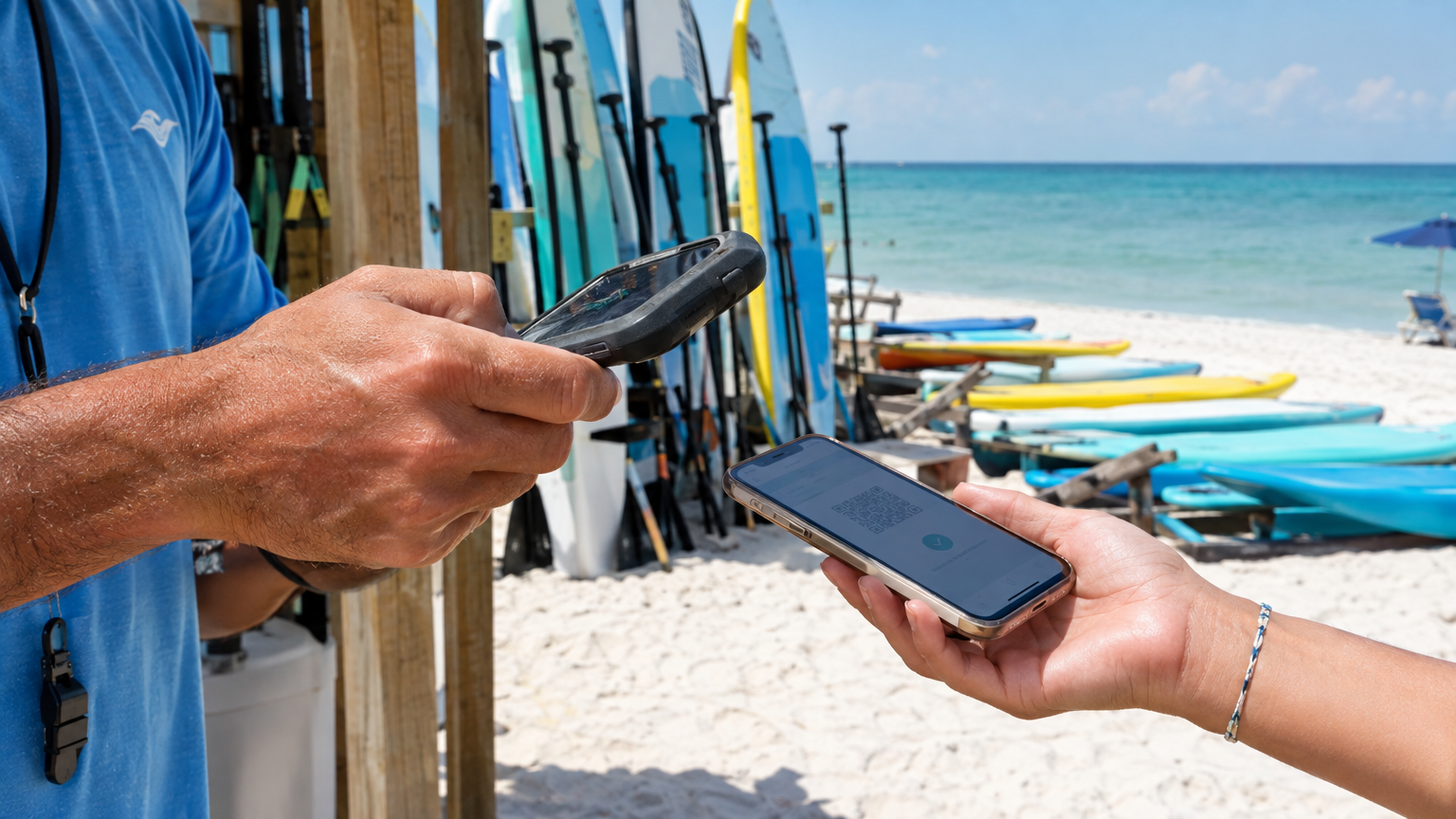
QR check-in at the launch means guests spend less time in line and more time on the water.
Move Waivers Off the Counter
The waiver bottleneck is one of the most expensive time losses in a rental operation, and it is entirely avoidable. Paper waivers at the stand make guests read, sign, and sometimes argue about policy while the slot clock is already running.
Moving waivers into the booking confirmation changes the math completely. A guest who booked online gets a link as soon as they pay. They open it on their phone at the hotel, sign it with a finger or a stylus, and show up at the stand already cleared. Minor riders signed for by a parent, the whole group sorted before they touch the sand.
When your rental system links waiver status to each booking, your staff can see exactly who is cleared before the group arrives. No clipboard scan, no paper chase. Guests who haven't signed yet, walk-ups, last-minute add-ons, can complete the same form on a tablet at the stand, and that record goes into the same system rather than sitting in a separate pile.
The practical result: your counter time drops from three to four minutes per group to under sixty seconds. Across a ten-slot morning, that adds up to a meaningful stretch of time your staff can use for actual customer service instead of paperwork management.
QR Check-In at the Launch
Once waivers are done and the slot is confirmed, check-in should take seconds. QR-based check-in does this without extra hardware. Guests get a QR code in their booking confirmation. Your staff scans it from a phone camera at the launch point — no printer, no reader, no app store download required.
Scan the code, see the booking details, confirm the group, and get them geared up. Six people into the water in under two minutes. Compare that to finding a name on a printed list, verifying which equipment they booked, and manually crossing them off a sheet.
QR check-in also helps with multi-point operations. If you run several launch locations, hotel beach, main stand, marina ramp, your staff at each point checks in from the same system. No calling across locations to figure out who showed up where. One account, every location, visible to everyone who needs it.
Keep Payment Off the Dock
Payment collection at the stand creates a second bottleneck that often runs parallel to the waiver problem. Cash handling takes time, cards decline, and Venmo requests get confused with the wrong booking. If guests are paying on arrival, your staff is doing collections while also trying to launch the 10 o'clock group.
The cleaner approach: collect payment at booking. Deposits hold the slot. Full payment can be required up front for shorter rentals where there's no meaningful reason to split it. For operations that prefer deposits, an online payment link sent 24 to 48 hours before the rental collects the balance before anyone walks up to the stand.
When guests arrive paid and waivered, your staff's job at check-in is purely operational. Gear assignment, safety brief, launch. That's it. The financial part of the transaction is already done and sitting in your Stripe account.
Give Staff a View That Matches Reality
One of the quieter benefits of a real rental system is what it does for staff situational awareness. A dashboard that shows what's out, what's due back, and what's going out next removes the mental overhead of tracking the whole day in your head.
When the 10:30 skis are due back at 11:00, and the 11:00 group checks in early, staff can see both facts at a glance and make the right call. When someone requests an extension, the screen shows whether that next slot is open or committed. No guesswork. No walking to the whiteboard to cross-reference a list.
This matters more than it sounds during the hours when things stack up. Staff shouldn't have to ask a manager whether gear is available. The system should answer that question automatically, consistently, and without anyone breaking stride.
Add-Ons That Sell Themselves
A well-structured rental booking flow has one more advantage: it creates a natural moment to sell extras. Tubes, wakeboards, life vests, wetsuits, guided tours, cooler packages, all of these can live inside the same checkout as the rental itself.
When a guest is already online booking a jet ski, the path of least resistance is to add a tow tube to the cart. That same guest, standing at your counter on a Saturday morning, is not your best customer for an upsell. They're trying to get on the water.
Online add-ons capture the sale at the moment of highest intent, before the trip, without requiring a face-to-face pitch from a staff member who has five other things to do. Over a full season, that incremental revenue adds up.
What a Well-Run Peak Hour Actually Looks Like
Put all of this together and the picture changes. Friday night, slots fill online. Deposits clear automatically. Saturday morning, your dashboard shows six groups arriving between 9:00 and 10:30. Four of them are fully waivered. One has a minor who needs a parent signature, the system flagged it. One group booked overnight and hasn't signed yet, so they get a tablet at the stand.
The 9:00 group arrives. Staff scans two QR codes. Gear assignment confirmed. They're in the water at 9:03. The 9:30 group shows up early. The screen shows the 9:00 skis are out until 10:00 with a buffer until 10:15. Staff tells them the timing, gets them waivered on the spot, and has them staged and ready to go when the gear comes back clean.
No double books. No lost paperwork. No counting cash on the dock while three people wait. Just a rental stand that works the way it should.
How VrixPlay Fits Into This
VrixPlay is built for exactly this kind of operation. It handles inventory-aware time slots, pre-trip digital waivers with parent signing for minors, QR check-in from any phone, online deposits and payments through Stripe, add-on gear at checkout, and a staff-facing dashboard that shows the whole day at a glance.
The platform is free to use, with a flat 3% per booking and no monthly subscription. Setup is handled by the VrixPlay team, you send over your gear list, time slots, rates, and policies, and they build the whole thing. No software configuration, no developer, no weekend project. You install the app on your phone and run rentals the same day.
If your beach stand is still running on a clipboard, this season is a good time to change that. See how VrixPlay works for watersports rentals and start free, no credit card required.
